

COI tracking for general contractors & property managers
Certificates chase themselves now.
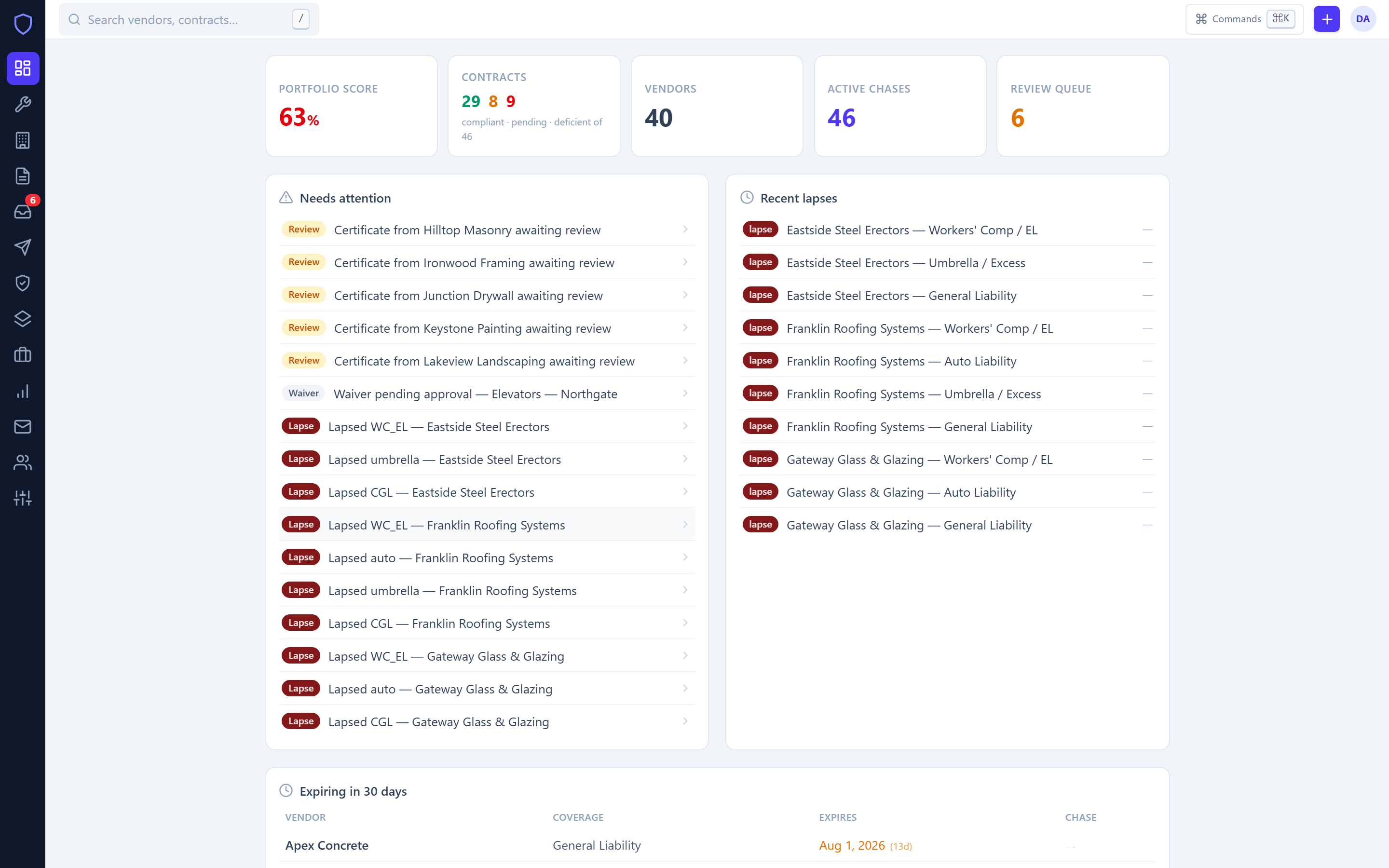
COIProof collects ACORD 25s straight from your subs and their brokers, reads them with AI, checks every limit and endorsement against the contract, and escalates 45, 30, 15, and 5 days before anything expires. You see one number: who’s covered today.
No card to start · import your vendor list in an afternoon
days before expiry, vendor and broker get chased — automatically
manual status fields. Every verdict is computed from the certificate itself
to send any chase right now, to every audience at once
pick a loss date from last year and reproduce the exact verdict you’d have seen
Somewhere in a shared inbox, a certificate expired three weeks ago.
The sub is on your site today. The spreadsheet tracked expiration dates, but nobody tracked the additional-insured endorsement, and the renewal PDF that did arrive is sitting unread behind forty other emails. If there’s a claim, you find out what you were missing from the carrier’s lawyer.
COIProof exists so that paragraph never describes your firm.

01 — Intake
The certificate finds its own way in.
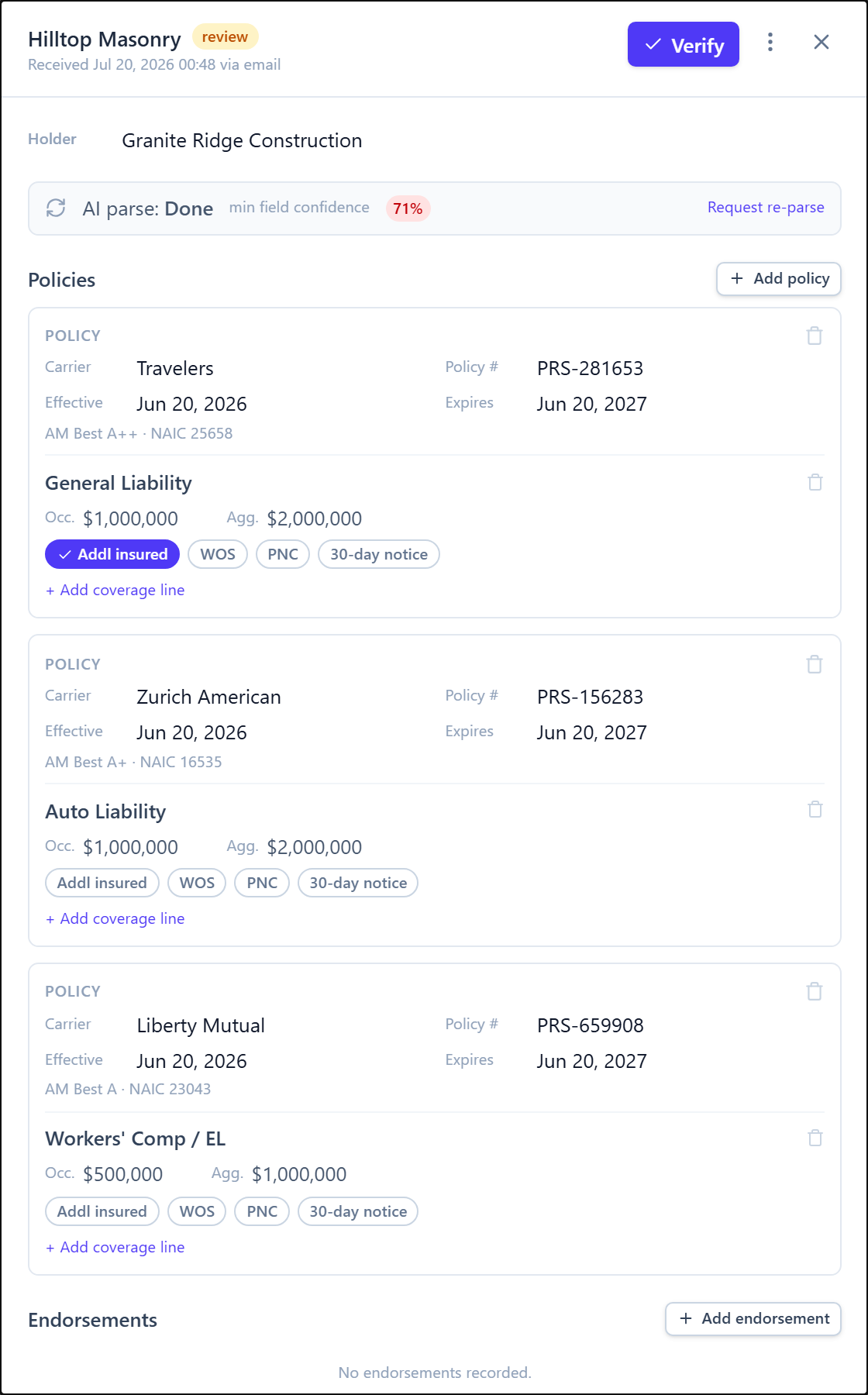
Subs and brokers email the PDF to your firm’s cert address or drop it on a magic-link portal — no accounts, no passwords. AI extraction reads carriers, policy numbers, limits, and dates with a confidence score on every field.
- Anything below the confidence threshold queues for a human — parsed data never touches compliance until someone verifies it
- Certificates that arrive already expired are flagged on sight
- AM Best rating and NAIC number captured per policy
02 — Compliance engine
Compliance is computed, not opined.
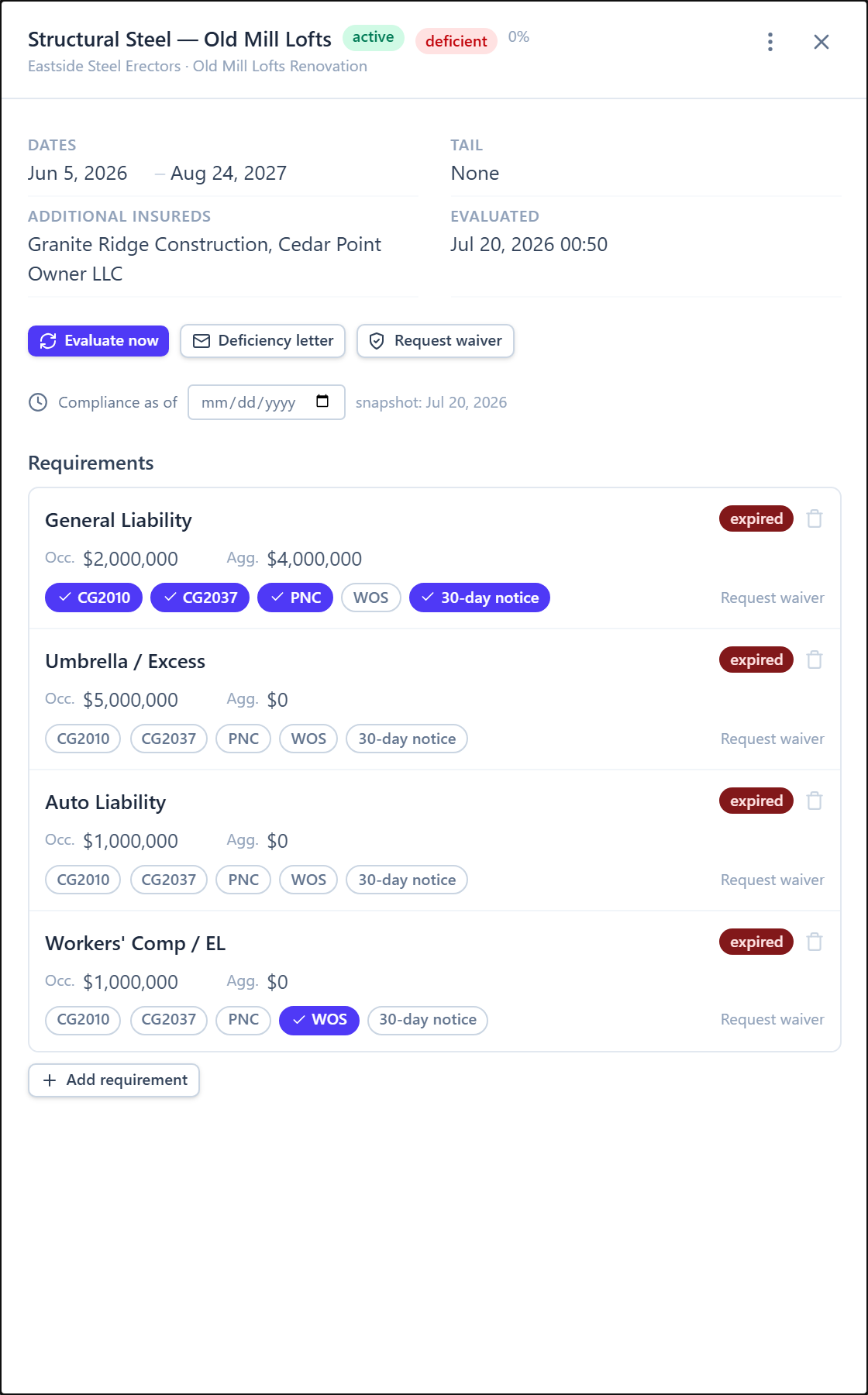
Every requirement line — $1M/$2M CGL, auto, umbrella, workers’ comp — gets a deterministic verdict: missing, provisional, met, deficient, expired, or waived. Nobody can quietly mark a vendor “fine.”
- Endorsement evidence, not checkboxes: CG 20 10, CG 20 37, waiver of subrogation, primary & non-contributory, 30-day notice — a tick without the attached endorsement page only ever earns provisional
- Expired coverage never satisfies anything, and the nightly sweep re-evaluates the whole portfolio
- Waivers carry a reason, an approver, and an expiry date — then revert on their own
03 — Chasing
Renewals get chased before you know they’re due.
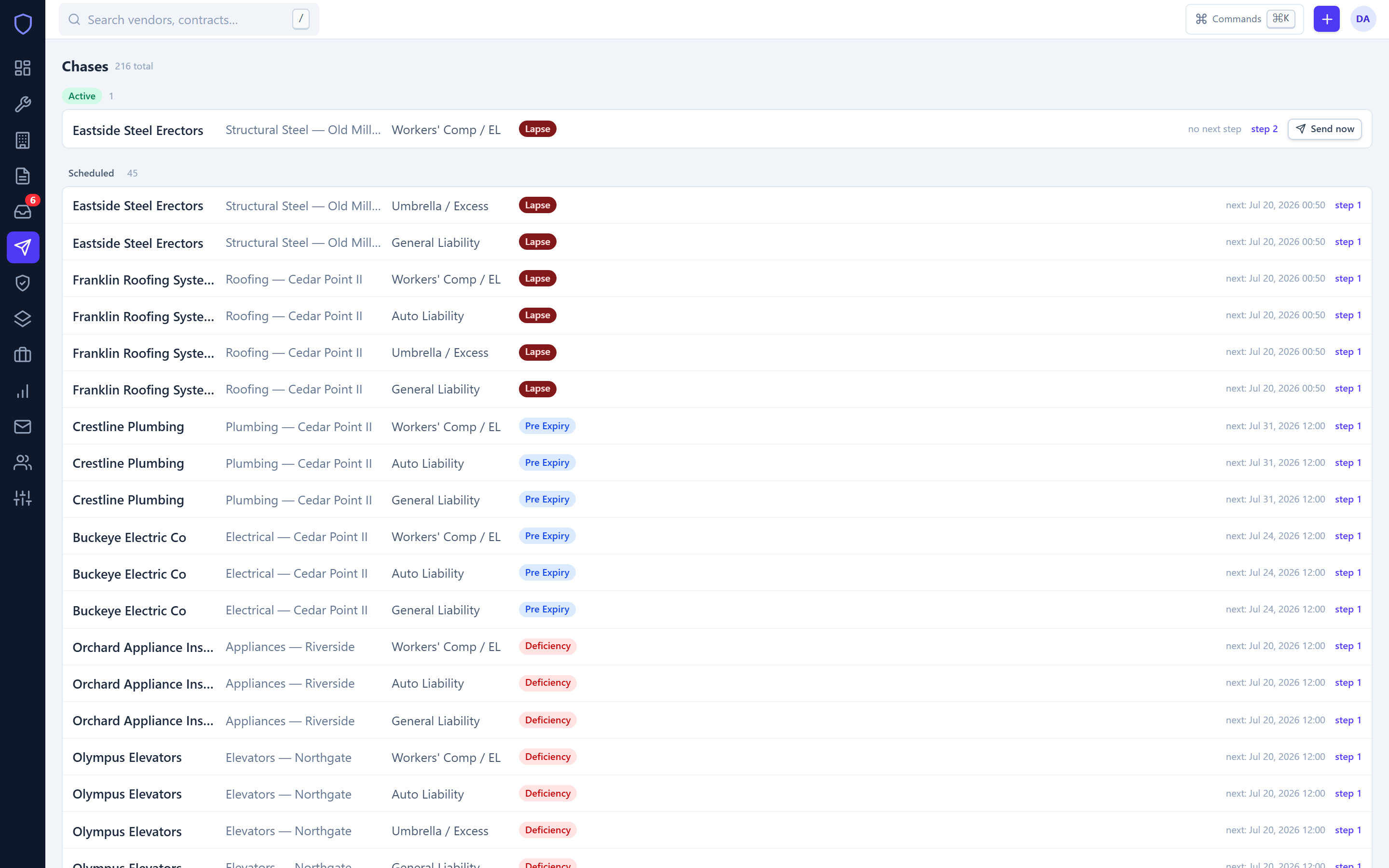
Pre-expiry sequences go out at 45, 30, 15, and 5 days — to the vendor and the broker. When something lapses anyway, COIProof escalates: SMS steps, a formal notice letter for the PM, an automatic payment hold, and a spot on the site gate list.
- Exactly one live chase per failing requirement — subs never get carpet-bombed
- A renewal upload auto-matches, re-evaluates, and closes the chase without you touching it
- Pause, resume, or send-now on any sequence in two clicks
04 — Control
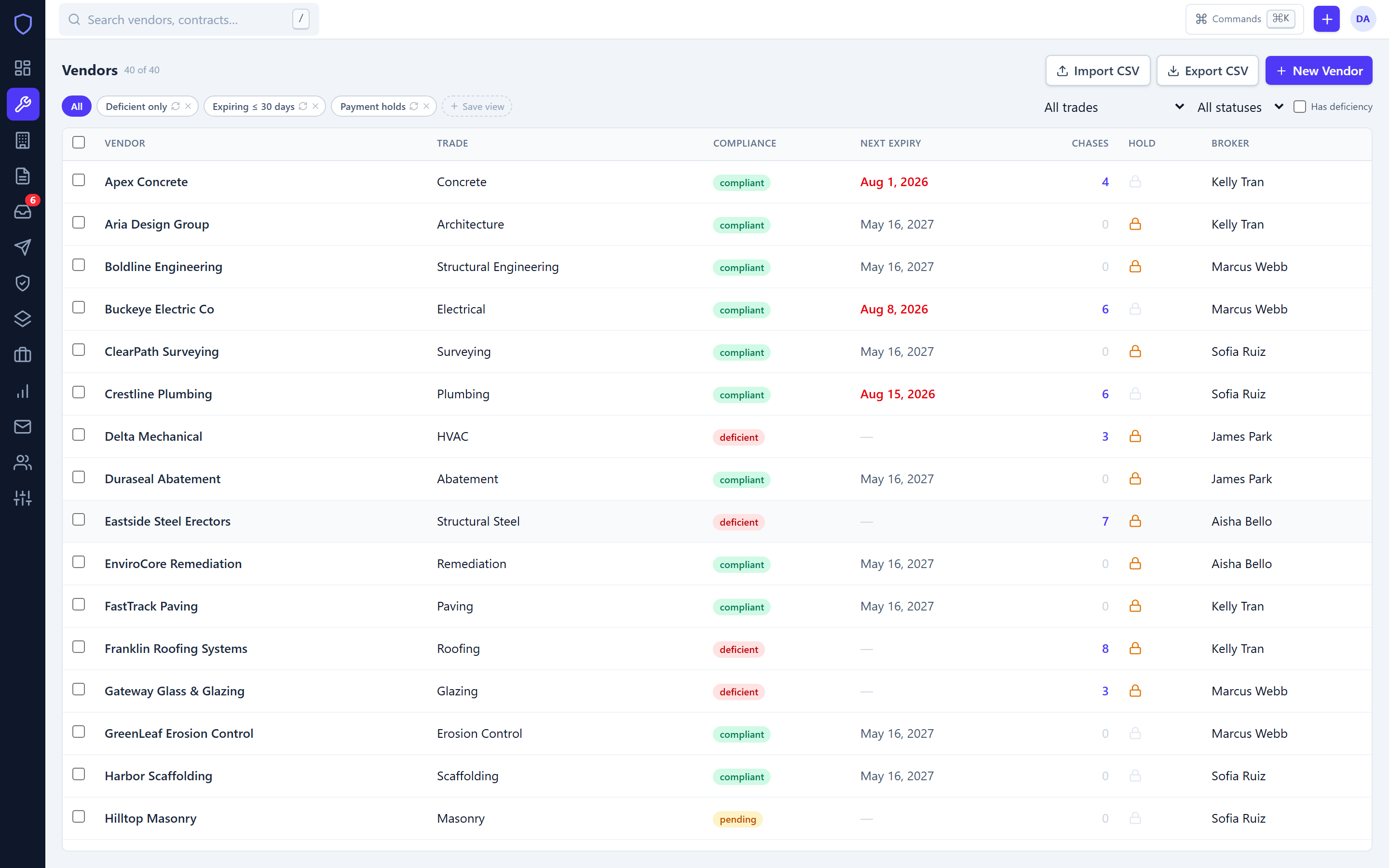
Forty vendors, five projects, one screen.
A single fast table with saved views, bulk actions, and inline edit with undo. Import your existing vendor list from a Procore or Buildertrend CSV export and be current by end of day.
- ⌘K command palette — any vendor’s status is one keystroke away
- Compliance, next expiry, live chases, payment holds, and broker on every row
- Stays instant at 10,000 rows — tables are virtualized, not paginated
05 — Proof
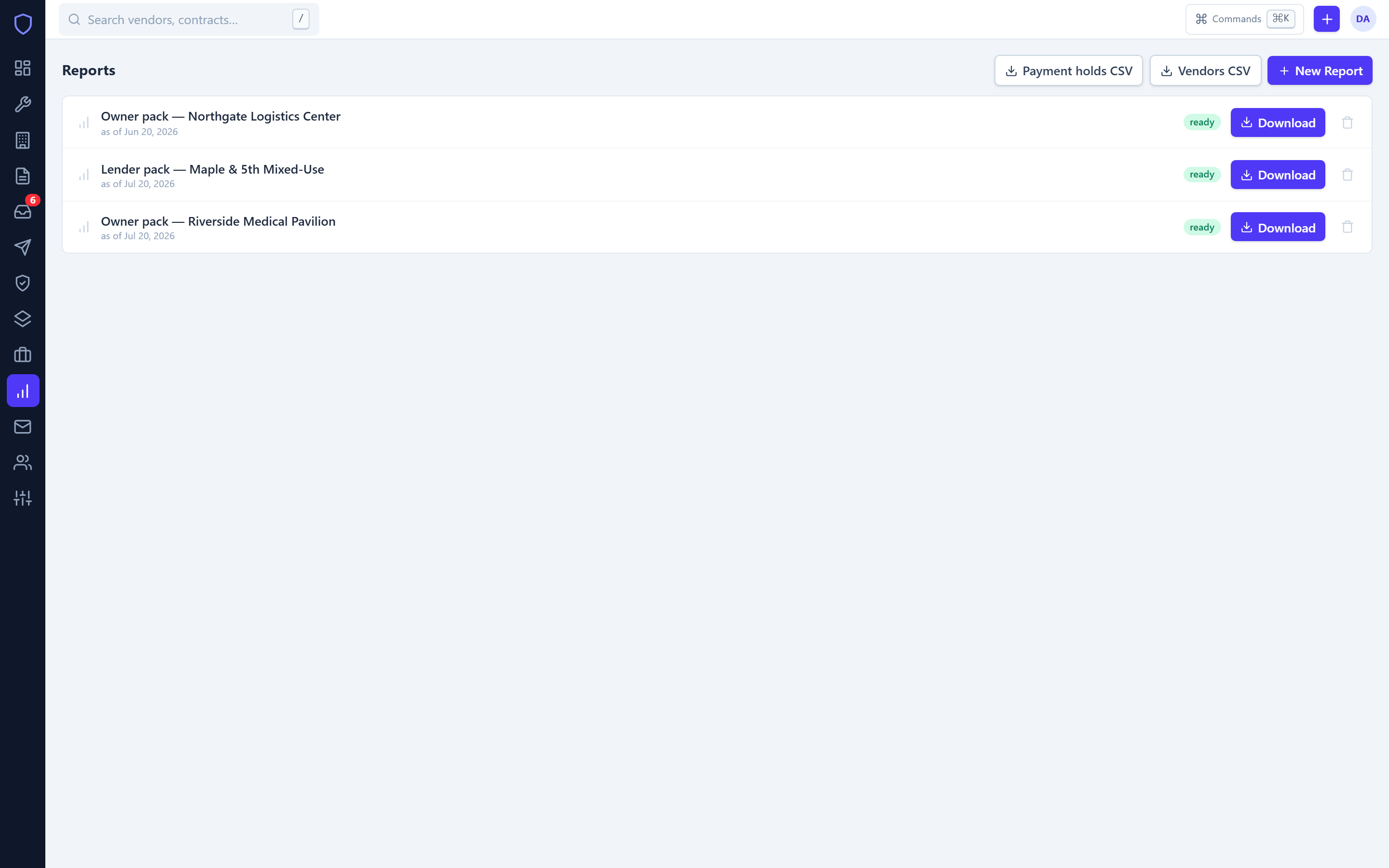
When the owner asks, the answer is a download.
Owner and lender packs for any project, as of any date — including a loss date eighteen months back. Because evaluations are stored as immutable snapshots, the answer you print is the answer that was true.
- Gate-list and payment-hold CSVs that drop straight into QuickBooks or Sage
- A complete audit file per vendor: every certificate, verdict, letter, and chase
- Broker analytics — who turns certs around, whose paper keeps coming back deficient
The other side
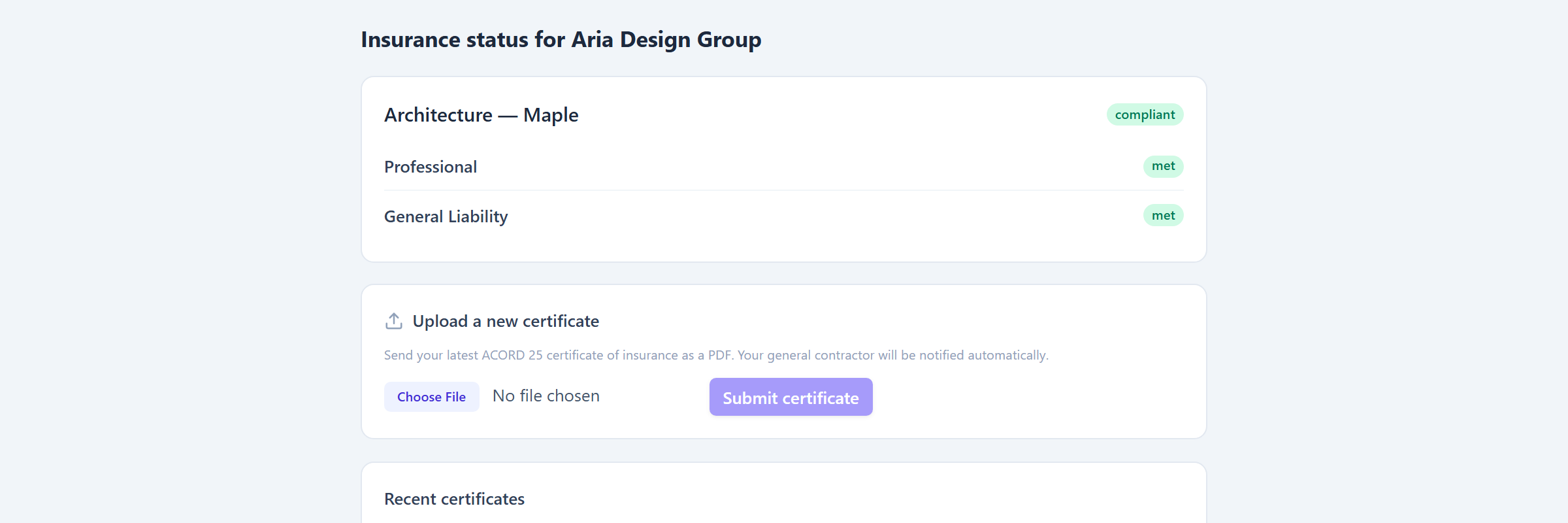
Your subs never see a login screen.
Every vendor gets a magic link: their live status, what’s missing, and a drop zone for the new certificate — from a phone, in a truck. You’re notified the moment it lands. Links expire and can be revoked at any time.

Under the hood
Run it like the audit is tomorrow.
Append-only audit trail
Who, when, and before→after for every change — written in the same transaction as the change itself.
Immutable verdicts
Evaluation snapshots are never edited. Corrections append a new snapshot; history stays intact.
Tenant isolation
Firm separation is enforced at the data layer on every query — not by convention in app code.
Modern authentication
Argon2id password hashing, server-side sessions, and optional TOTP two-factor for every user.
Backups that restore
Nightly backups plus a scripted restore drill that actually rebuilds a database — proven, not assumed.
Safe retries
Idempotent mutations and optimistic concurrency — a flaky connection can’t double-send or silently overwrite.
Getting started
An afternoon. Not an implementation.
-
1
Import your vendors
Upload the CSV you already have — Procore and Buildertrend exports work as-is. Brokers come along for the ride.
-
2
Set the requirements
Standard Subcontractor, Heavy Trade, Design Professional, and Environmental templates ship ready. Tune limits per contract when you need to.
-
3
Send the portal links
COIProof requests what’s missing, reads what arrives, and starts the clock on everything expiring. You review the exceptions.
Pricing
One plan. Everything in it.
No per-seat math, no feature gates, no “call us.”
Billed monthly. Cancel anytime.
- Unlimited users, projects, and requirement templates
- Up to 500 active vendors (need more? we’ll make room)
- AI certificate parsing with human-review queue
- Automatic email + SMS chasing, vendor & broker
- Vendor magic-link portal & inbound cert email address
- Owner / lender packs, gate-list & accounting exports
- Full audit trail & as-of-date evaluations
- Priority support from people who’ve read a COI
14 days free · no card required · subscribe anytime from inside the app · export your data as CSV, always
FAQ
The questions we actually get.
Do my subs need to create accounts?
No. Each vendor gets a magic link to a status page with an upload box, and every vendor also gets a dedicated cert email address — their broker can simply email the PDF. No passwords on their side, ever.
What certificate formats do you read?
ACORD 25 PDFs — typed or scanned. The AI extractor scores its own confidence per field; anything below threshold goes to your review queue instead of silently into your records. Nothing affects compliance until a human verifies it.
Can I bring my existing vendor list?
Yes — CSV import accepts Procore and Buildertrend vendor exports as-is, or any spreadsheet with name/trade/email columns. Most firms are fully loaded within an hour.
What actually happens when coverage lapses?
The chase escalates to a post-lapse sequence (email + SMS), a formal notice letter is generated for the PM, the vendor is placed on payment hold, and they appear on the gate-list export your superintendents pull each morning. When the renewal lands and verifies, all of it clears automatically.
Can I prove a sub was covered on a past date?
Yes. Verdicts are stored as immutable snapshots, so you can evaluate any contract as of any date — including a loss date from last year — and get the exact answer the record supported then. That’s the “proof” in COIProof.
What if I cancel?
Monthly plans cancel anytime from billing settings; yearly plans run to the end of the term. Either way you can export vendors, certificates, and the audit trail as CSV before you go. No retention hostages.

Stop hoping the certificate is in the inbox.
Put your vendor list in this afternoon. By Friday, the chasing is COIProof’s problem.